
Your ModMed Patients, Now in Spruce
A new patient is added in ModMed, and someone at the front desk enters the same details into Spruce. Later, a patient changes their phone number, and the two systems no longer match. Sound familiar? It's tedious and error-prone, and it takes your team away from patient care.
That changes today.
Introducing the Spruce + ModMed Integration
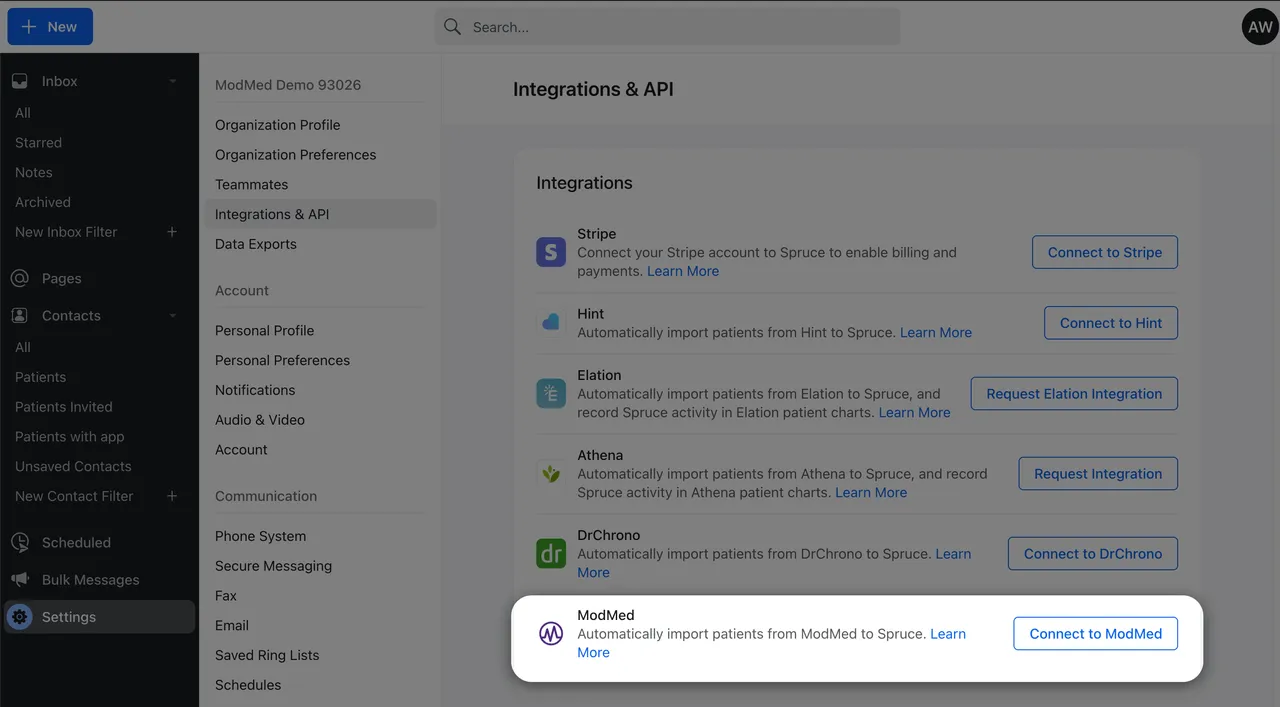
Spruce now connects directly with ModMed. Your patient contacts and their demographic details stay up to date in both systems. You don't need middleware, manual exports, or another tool to manage.
Free on the Communicator plan. The ModMed integration costs nothing extra on the Spruce Communicator plan. ModMed may charge its own fees for API access, so check with your ModMed representative about any additional costs.
How It Works
When you connect ModMed, a one-time import brings your existing ModMed patients into Spruce as contacts. Spruce matches them to contacts you already have using name and date of birth. It checks phone numbers and email addresses so it doesn't create duplicates. After that, the sync keeps running in the background:
- New patients are added for you. Patients added in ModMed show up in Spruce as contacts, with no re-entry needed.
- Demographic details stay current. Updates to a patient's name, date of birth, phone number, or email sync between ModMed and Spruce, usually within about 15 minutes. Need an update now? Resync that contact from their profile.
- Unknown numbers become known patients. Has your team been texting or calling an unsaved number that belongs to a ModMed patient? Spruce turns it into a saved contact linked to that patient's record.
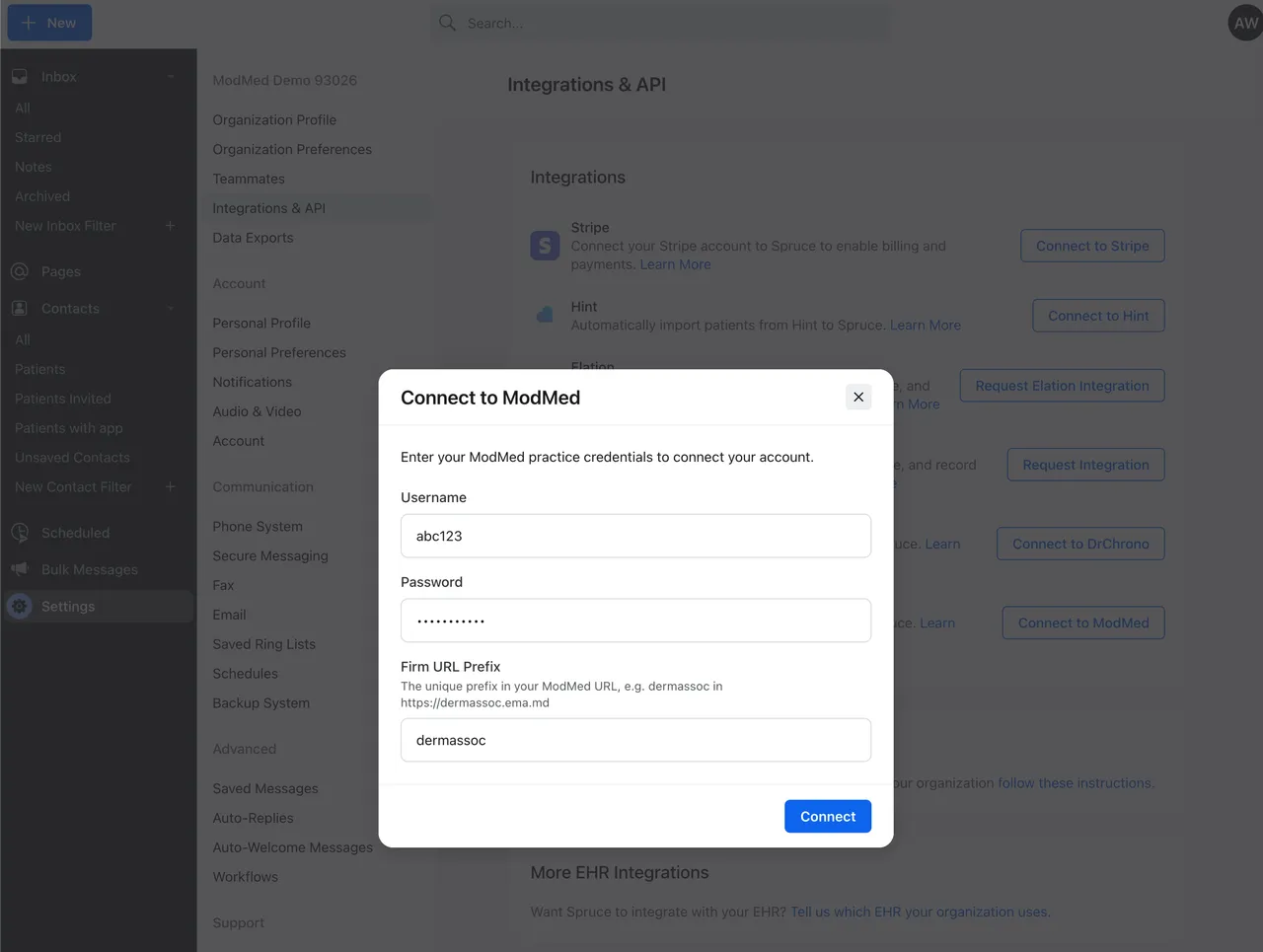
Getting started takes two steps on your side. First, request the integration from your ModMed point of contact. Then, connect it in Spruce under Settings > Integrations & API. The Spruce Support team handles the rest. We'll work with ModMed to finish activation and check your sync preferences with you in the app.
Why It Matters
Out-of-date phone numbers mean missed calls. Mismatched records mean your team works from incomplete information when a patient reaches out. When contacts come straight from ModMed, every call, text, and message in Spruce starts with the right patient and current details. The integration is included on the Communicator plan at no extra Spruce cost.
What's Not Included Yet
This release syncs patient contacts and demographic details only. It doesn't sync details of conversations with patients, which would transfer Spruce messages and notes into the ModMed chart. Contacts created directly in Spruce also don't create new patient records in ModMed. If either matters to your practice, let our Support team know so we can track your interest.
Get Connected
The ModMed integration is available now on the Communicator plan, with no additional Spruce fee. Third-party fees from ModMed may apply.
Already a Spruce customer using ModMed? Follow the setup steps in our Help Center, then connect ModMed in your Spruce integration settings. Connect ModMed to Spruce →
New to Spruce? Spruce gives ModMed practices HIPAA-grade calls, texts, secure messaging, and fax, with a direct connection to their EHR from day one. Start a 14-day free trial →


